If you operate a heavy highway vehicle weighing 55,000 pounds or more, you’re required by the IRS to file Form 2290, the Heavy Vehicle Use Tax return. This annual form ensures that heavy trucks contributing wear and tear to public highways are properly taxed. Once your Form 2290 is accepted, you receive a stamped Schedule 1, which is required for vehicle registration and tags through the DMV.
But what happens when your 2290 filing is rejected by the IRS?
Don’t worry, IRS rejections are more common than you might think, and in most cases, they’re simple to fix. From minor typos in your VIN or EIN to mismatched business names, most issues can be resolved in just a few minutes. The key is understanding what caused the rejection and knowing how to correct it quickly.
If you filed your Form 2290 using ExpressTruckTax, you’re in good hands. We provide clear instructions, instant IRS notifications, and free retransmission for rejected returns. No additional fees, no added stress, just an easy path to getting your Schedule 1 as fast as possible.
Common Reasons IRS Rejects Form 2290
Form 2290 rejections are frustrating, but almost always preventable. Below are the most frequent reasons the IRS may reject your HVUT return, along with insights on how to recognize and avoid these issues.
A. Incorrect EIN
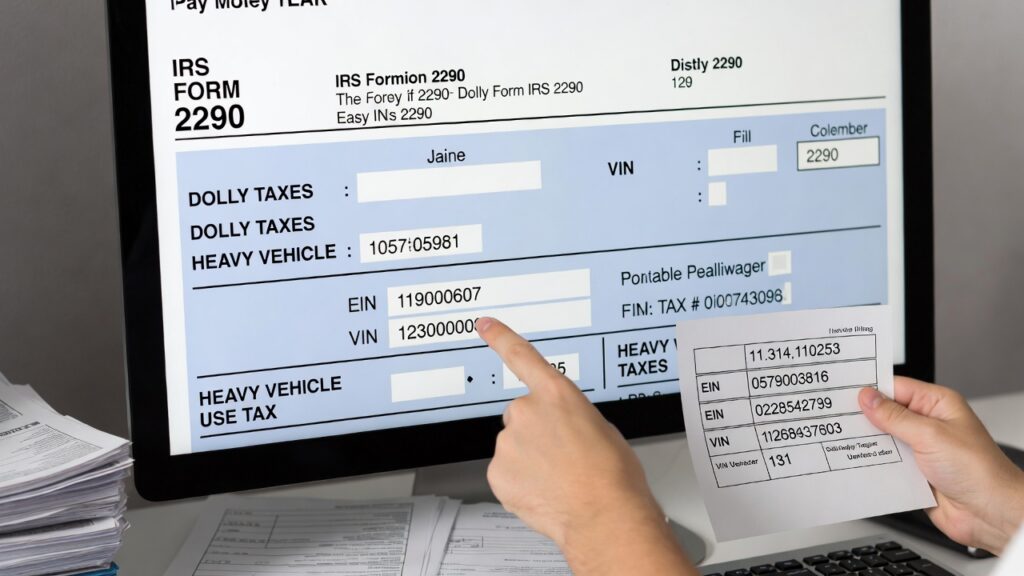
The #1 reason for Form 2290 rejections is an error with the EIN. This unique number, issued by the IRS, identifies your business for tax purposes.
Common EIN Issues:
- Mismatch with IRS Records: The IRS checks the EIN and business name on your 2290 against their database. If they don’t match exactly, spacing, punctuation, or abbreviations included, your return will be rejected.
- Newly Issued EIN Not Yet in IRS Database: If you recently applied for an EIN, it may not be fully registered in the IRS e-file system. It typically takes 10–15 business days after issuance for the IRS to recognize it electronically.
- SSN Used Instead of EIN: Personal Social Security Numbers are not accepted for 2290 filings. Individuals operating under their own name must still obtain a business EIN to file.
Tip:
Before filing, verify your EIN and legal business name exactly as it appears on your IRS CP 575 letter (the confirmation letter you received when your EIN was issued).
B. Business Name Mismatch
Even if your EIN is correct, your 2290 can still be rejected if your business name doesn’t match IRS records.
Common Causes:
- Spelling Errors or Typos: Even a small misspelling or inconsistent use of punctuation (like “LLC,” “Inc,” or ampersands) can trigger a mismatch.
- Wrong Business Structure: Listing your business as a sole proprietorship when the EIN is associated with an LLC or Corporation will result in rejection.
- Name Format Issues: Use the exact business name formatting from the IRS database, no abbreviations unless they appear that way on your EIN letter.
Tip:
Avoid copying your business name from DMV paperwork or bank accounts. Always refer to your IRS-issued EIN documentation when e-filing.
C. VIN Errors
Your VIN is the unique 17-character identifier for your vehicle, and it’s essential that it’s 100% accurate. The IRS validates VIN formatting and checks for duplication or inconsistencies.
Common VIN Mistakes:
- Incorrect or Invalid VIN: Typos, transposed numbers, or confusing letters like “I” and “1” or “O” and “0” can cause your return to be rejected or delayed.
- Wrong VIN Format: The IRS only accepts VINs that follow the standard 17-character format. Shorter or longer entries will be flagged.
- Internal Reference Numbers Used Instead of VIN: Some fleet managers mistakenly use internal tracking numbers or unit IDs rather than the official VIN.
Tip:
Use ExpressTruckTax’s free VIN checker tool before filing to catch formatting issues early.
D. Duplicate Filing
Another common rejection reason occurs when the IRS detects an attempt to file Form 2290 twice for the same vehicle in the same tax year.
Examples of Duplicate Filing:
- You already filed a 2290 earlier for the same truck and forgot.
- You tried to correct a mistake by submitting a new return rather than filing a VIN correction or amendment.
Tip:
If you made a mistake on your VIN or weight category, don’t file a new Form 2290, use the appropriate VIN correction or 2290 amendment instead to avoid duplicates.
E. IRS System or Technical Errors
Not every rejection is due to filer error. Sometimes the problem lies with the IRS systems themselves.
Examples:
- IRS Outages or Maintenance: During peak periods (like the August 31 deadline), the IRS e-file system may go offline or time out due to high volume.
- Transmission Errors: Rare issues during electronic transmission may cause the return to be rejected even if the form is correct.
Tip:
If this happens, simply wait and re-transmit. ExpressTruckTax users can re-submit their returns for free if the IRS system error caused the rejection.

What to Do If Your Form 2290 Is Rejected
If your IRS Form 2290 return is rejected, don’t panic. It’s a fixable situation, and with the right steps, you can correct and re-submit your return in just a few minutes. Here’s a step-by-step guide to get your filing back on track and receive your IRS-stamped Schedule 1.
Step 1: Review Your IRS Rejection Code or Message
As soon as your return is rejected, you’ll receive a notification, either by email, dashboard alert, or both, depending on your filing service.
Each rejection includes an IRS rejection code and a brief message explaining the issue. Understanding this message is key to resolving the problem correctly.
Example Rejection Codes:
- R0000-922-01: The EIN and business name do not match IRS records.
- R0000-194: Invalid VIN format or incorrect number of characters.
- F2290-932-02: Duplicate filing for the same vehicle and tax year.
Tip:
If you use ExpressTruckTax, your rejection notice will be explained in plain language, so you don’t have to decode IRS jargon. It’ll also link you directly to the return that needs fixing.
Step 2: Log Into Your E-Filing Account
Once you’ve reviewed the rejection message, log back into your e-filing account.
In ExpressTruckTax:
- Go to your Dashboard.
- Locate the return that says “Rejected” next to it.
- Click the “Fix Errors” or “Edit & Resubmit” button to begin correcting your form.
This will pull up your previously filed return, so you don’t have to start from scratch.
Step 3: Correct the Identified Errors
Carefully review each part of the return and correct the problem based on the IRS rejection notice.
Common Fixes:
- EIN or Business Name Errors: Use your IRS CP 575 letter to confirm the exact spelling, formatting, and structure of your legal business name and EIN.
- VIN Mistakes: Double-check the 17-character VIN for typos or incorrect characters. Make sure it’s the official VIN from your registration, not an internal ID or unit number.
- Duplicate Filing: If you already filed for that vehicle and tax period, don’t refile, file a VIN correction or amendment instead, depending on what needs to be changed.
ExpressTruckTax highlights the fields that may need correction and offers in-app tips as you make changes.
Step 4: Re-Transmit the Return for Free
Once you’ve corrected the necessary information, carefully review the updated return to ensure everything is accurate.
Then, click “Transmit to IRS” to refile.
With ExpressTruckTax:
- Re-transmission is completely free if you originally filed with us.
- You can re-submit as many times as needed until the IRS accepts your return.
- You’ll receive a new email notification once your corrected return is accepted.
Pro Tip:
Before submitting, double-check your EIN, business name, and VIN one more time to avoid repeated rejections.
How to Avoid IRS Rejections in the Future
While it’s reassuring that IRS Form 2290 rejections are fixable, the best approach is to avoid them altogether. Most rejections come down to simple errors, typos, incorrect data, or timing issues, that can be easily prevented with a few best practices.
Here’s how to make sure your 2290 gets accepted the first time:
1. Use a Free VIN Checker Before Filing
Your Vehicle Identification Number (VIN) must be exactly 17 characters and match the one listed on your vehicle’s registration documents. Even a single incorrect digit can cause a rejection or delay in getting your Schedule 1.
Common VIN Mistakes:
- Typing “I” instead of “1” or “O” instead of “0”
- Entering internal truck/unit numbers instead of the actual VIN
- VINs that are too short or too long
How to Avoid:
Use the free VIN checker available through ExpressTruckTax before submitting your form. This tool verifies formatting and alerts you to any common issues with your VIN entry.
2. Double-Check EIN and Business Name Against IRS Records
Your EIN and legal business name must exactly match what the IRS has on file.
Why It Matters:
The IRS uses its internal EIN database to validate all e-filed forms. If the business name on your 2290 doesn’t match the one linked to your EIN, even due to small things like punctuation or abbreviations, your return will be rejected.
How to Avoid:
- Refer to your IRS CP 575 letter (the official EIN issuance letter) to verify exact name and formatting.
- Avoid copying from DMV paperwork or business cards, which may use nicknames or variations.
3. Don’t File Twice for the Same Vehicle and Tax Year
Duplicate filings are a common (and avoidable) reason for rejections.
Why This Happens:
- You file a return, then realize there’s a mistake, so you submit a second full 2290 rather than filing a correction or amendment.
- You lose track of previously filed returns for multiple vehicles.
How to Avoid:
- Use VIN corrections (for typos) or 2290 amendments (for weight or mileage changes) instead of starting over.
- Keep clear records of what you’ve already filed, especially if managing a fleet.
ExpressTruckTax keeps a history of your previous returns and notifies you of possible duplicates before submission.
4. Wait at Least 2 Weeks After Getting a New EIN Before Filing
If you recently applied for an EIN, it may take 10–15 business days for the IRS to activate it in their electronic systems.
Why This Causes Rejections:
Even if you receive your EIN immediately, it won’t be recognized for e-filing until the IRS database updates. Filing too soon results in an automatic rejection due to an unverified EIN.
How to Avoid:
- Wait at least two full weeks after receiving your EIN before filing your 2290 electronically.
- In the meantime, gather your vehicle and business information so you’re ready to file once the EIN is active.
Bonus Tip: Use an IRS-Authorized E-File Provider Like ExpressTruckTax
ExpressTruckTax is built to catch errors before the IRS does. Our platform automatically checks for:
- Invalid VIN formatting
- EIN and business name mismatches
- Duplicate filings
- Missing vehicle details
Plus, if a mistake still slips through, you can re-transmit your corrected return for free, no additional fees, no hassle.