Category: E-file form 2290

How to File Form 2290 for a Fleet of 25+ Vehicles

Man reviewing Form 2290 filing online with secure upload and calendar icons.

If you operate heavy vehicles on public highways weighing 55,000 pounds or more, you’re required by the IRS to file Form 2290 and pay the Heavy Vehicle Use Tax (HVUT) annually. This tax helps maintain the nation’s roadways and is critical for compliance with federal regulations, especially for trucking companies, owner-operators, and fleet managers.

Filing Form 2290 is relatively straightforward for a single truck, but the process becomes significantly more complex when dealing with a fleet of 25 or more vehicles. The volume of data, the need for speed and accuracy, and the IRS’s strict requirements make it essential to follow the correct process and use the right tools.

One key difference for large fleets is that the IRS mandates electronic filing for any taxpayer reporting 25 or more taxable vehicles for any tax period. This means paper forms are not accepted, and using an IRS-authorized e-file provider becomes a legal necessity, not just a convenience.

Beyond just compliance, e-filing offers operational benefits such as faster processing, fewer errors, and quicker access to the IRS-stamped Schedule 1, which is required for vehicle registration with the DMV. For large fleets, choosing the right e-filing solution is critical to avoiding delays, penalties, and administrative headaches.

Woman filing IRS Form 2290 for fleets with 25+ vehicles online.

Who Needs to File for a Fleet of 25+ Vehicles?

If you’re responsible for managing or operating a large number of heavy vehicles, typically 25 or more, you’re required by the IRS to file Form 2290 electronically each year. This applies to a wide range of professionals and businesses in the transportation and logistics industry. Understanding who qualifies under this requirement is key to ensuring compliance and avoiding penalties.

Owner-Operators with Large Fleets

Owner-operators who have grown their business to manage 25 or more trucks fall under the IRS e-filing mandate. Even if your operation started small, once you reach the 25-vehicle threshold, your filing responsibilities change. Whether all vehicles are owned outright or financed, if you’re operating them on public highways, you’re required to file Form 2290 and pay HVUT.

Fleet Managers, Logistics Providers, and Leasing Companies

Larger organizations, including trucking fleets, logistics and freight companies, and vehicle leasing firms, often manage hundreds or even thousands of taxable vehicles. These professionals are typically tasked with overseeing compliance for multiple units at once, which can include tracking VINs, weights, mileage thresholds, and first-use months. Filing for these entities isn’t just about compliance, it’s about streamlining operations, avoiding errors, and ensuring every vehicle remains registered and road-ready.

In many cases, leasing companies or logistics businesses that offer long-term leases may still be responsible for filing HVUT on behalf of the lessee, depending on how the contracts are structured. It’s important to clearly understand which party is liable for the tax to ensure timely filings.

Anyone Responsible for 25+ Taxable Vehicles Over 55,000 lbs

This includes companies or individuals managing fleets across multiple locations or businesses with several EINs. If you’re responsible for tracking, maintaining, and reporting on a fleet of heavy vehicles with a gross taxable weight of 55,000 pounds or more, and you’re filing for 25 or more of those vehicles in a single tax year, you must e-file Form 2290.

The IRS considers each VIN reported on Form 2290 as a unique taxable vehicle. So even if you manage 25+ vehicles across multiple categories, taxable, suspended, or agricultural, once you hit that 25-vehicle threshold, electronic filing is not optional.

IRS Requirements for Large Fleet Filings

When filing Form 2290 for a fleet of 25 or more vehicles, the IRS enforces specific requirements designed to ensure accuracy, efficiency, and compliance. Large fleet operators must meet these standards to avoid rejected returns, penalties, and delays in receiving their Schedule 1.

Mandatory E-Filing for 25+ Vehicles

The IRS requires electronic filing for any Form 2290 return that reports 25 or more taxable vehicles for a single tax period. Paper filing is not permitted for large fleet filings and will result in processing delays or outright rejection.

E-filing is not just faster, it significantly reduces errors by validating data before transmission. Large fleets must file through an IRS-authorized e-file provider, which securely transmits the return directly to the IRS and provides quicker access to the stamped Schedule 1 needed for DMV registration.

Valid Employer Identification Number Required

All Form 2290 filings must be submitted using a valid Employer Identification Number (EIN). The IRS does not accept Social Security Numbers (SSNs) for HVUT filings.

If your business is newly established, your EIN must be issued by the IRS and fully activated before filing. Attempting to file with an incorrect or newly issued EIN that hasn’t been recognized by IRS systems can result in a rejected return, something especially costly for large fleets operating on tight timelines.

Required Information for Large Fleet Filings

To successfully file Form 2290 for a large fleet, you’ll need to gather and verify the following information for each vehicle:

  • EIN: The EIN under which the fleet operates and pays HVUT.
  • Vehicle Identification Numbers: Each vehicle must be reported with a 17-character VIN. VIN accuracy is critical, common errors such as transposed numbers, incorrect characters (like O vs. 0), or using internal asset IDs instead of VINs can cause IRS rejections and DMV registration issues.
  • Taxable Gross Weight: Vehicles must be categorized into the correct IRS taxable gross weight class, which determines the HVUT amount owed. This includes the weight of the truck, trailer, and maximum load typically carried.
  • First Use Month: The month the vehicle was first operated on public highways during the tax year. This determines whether the tax is owed for the full year or calculated on a prorated basis for newly added vehicles.

For fleets with dozens, or even hundreds, of vehicles, maintaining accurate and up-to-date records is essential. Using bulk upload tools and built-in error checks can help ensure every vehicle is reported correctly and prevent costly delays.

Men reviewing documents about Form 2290 e-file provider services next to a truck.

Why Choose ExpressTruckTax for Fleet of 25+ Vehicles Tax Filing

When managing tax compliance for a fleet of 25 or more vehicles, accuracy, speed, and dependability are non-negotiable. That’s why thousands of fleet managers, leasing companies, and logistics providers trust ExpressTruckTax as their go-to solution for Form 2290 e-filing. Backed by over a decade of industry experience, ExpressTruckTax offers the tools and support large fleets need to stay compliant, without the hassle.

Trusted by Over 5 Million Filings

Since its launch in 2010, ExpressTruckTax has processed more than 5 million Form 2290 returns, helping businesses large and small meet IRS requirements with ease. Our platform is built with the unique needs of fleet operators in mind, ensuring you can file quickly, reduce manual errors, and avoid costly penalties.

Used by Major Fleet Operators and Leasing Companies Nationwide

Whether you’re a national carrier with thousands of vehicles or a regional leasing company with a growing operation, ExpressTruckTax is designed to scale with your business. From bulk VIN uploads to multi-EIN support, our system simplifies complex filings, making it easier than ever to file for hundreds or even thousands of trucks in a single session.

Many of the nation’s leading fleets rely on ExpressTruckTax not only for tax compliance, but also for the speed and accuracy we bring to their operations. Our bulk upload features, real-time filing status updates, and built-in audit checks make managing HVUT filings for large fleets efficient and stress-free.

Direct IRS Integration with Guaranteed Schedule 1

ExpressTruckTax is an IRS-authorized e-file provider, which means your Form 2290 is submitted directly to the IRS through our secure, encrypted system. Once accepted, you’ll receive your IRS-stamped Schedule 1 instantly, guaranteed, or your money back.

Need that Schedule 1 for DMV registration? We’ve got you covered with automatic notifications and instant access to your documents from your dashboard. You can also email, fax, or print your Schedule 1 straight from the platform.

U.S.-Based Bilingual Support (Phone, Email, and Chat)

Our commitment to customer service sets us apart. With ExpressTruckTax, you get access to a team of real, U.S.-based support specialists, not robots or outsourced agents. Whether you speak English or Spanish, our bilingual team is here to assist via phone, email, or live chat.

Need help bulk uploading vehicle data? Got a rejected return and not sure why? Need to refile an amendment quickly? Just give us a call, we’ve helped thousands of fleet operators fix issues fast and stay compliant without delay.

How to File Form 2290 from Your Phone

A smiling truck driver in a safety vest sitting in his cab at sunset, holding up a smartphone that reads "Filing Complete" with a green checkmark. A large orange abstract overlay is on the left.

As a trucker, time is everything. Between long hauls, tight delivery windows, and DOT regulations, the last thing you need is to stop your momentum to file taxes. Fortunately, with today’s mobile technology, staying compliant with IRS regulations has never been easier or faster.

Filing IRS Form 2290, the Heavy Vehicle Use Tax (HVUT), is a required step for operating vehicles over 55,000 lbs on public highways. But traditionally, this meant paperwork, long waits at tax offices, or being tied to a desktop computer. Now, that process fits in your pocket.

Why It Matters:

  • Filing from your phone gives you flexibility and speed, whether you’re at a rest stop, truck wash, or waiting on a load, you can handle your HVUT filing in just minutes.
  • Avoid penalties and DMV delays, even if you’re away from home base. Filing on time ensures you’ll get your IRS-stamped Schedule 1, which is required for truck registration or renewal.
  • Stay compliant while staying mobile. No more lost paperwork, missed deadlines, or scrambling to find a computer.
  • The ExpressTruckTax mobile app makes it all possible, offering an IRS-authorized, secure, and easy-to-use filing solution designed specifically for truckers.

If you’re always on the road, this app puts the power of fast, accurate filing right in the palm of your hand. In this guide, we’ll walk you through exactly how to file Form 2290 from your phone in just a few simple steps.

Can You Really File Form 2290 from Your Phone?

Yes, as long as you’re using the right tool, you can file IRS Form 2290 entirely from your phone in just minutes. With the right mobile app, there’s no need for paperwork, printers, or computer access. You can manage the entire HVUT filing process, from entering vehicle details to receiving your stamped Schedule 1, right from the cab of your truck, a truck stop lounge, or anywhere you’ve got a phone signal.

The ExpressTruckTax mobile app is specifically designed for truckers, fleet owners, and owner-operators who want the freedom to file on the go. It’s IRS-authorized, user-friendly, and packed with features that make mobile tax filing fast, accurate, and secure.

What You’ll Need to Get Started:

To successfully file Form 2290 from your phone, make sure you have the following:

  • Internet Access: A stable cellular or Wi-Fi connection is required to securely transmit your return to the IRS and receive your stamped Schedule 1.
  • Employer Identification Number (EIN): The IRS does not accept Social Security Numbers (SSNs) for 2290 filings. You’ll need an active EIN registered at least 2 weeks prior to filing, or your return may be rejected.
  • Vehicle Identification Number (VIN): Make sure the VIN is entered accurately, typos or internal fleet numbers can delay your filing. ExpressTruckTax includes a free VIN checker to help avoid common mistakes.
  • Taxable Gross Weight of the Vehicle: This determines the HVUT amount due. You’ll select the correct weight category when entering your vehicle details.
  • First Used Month of the Vehicle: The IRS calculates your tax based on the month your vehicle was first used on public highways during the tax year (July 1 – June 30). This determines whether you owe the full tax or a prorated amount.
  • IRS Payment Method: Choose how you want to pay the IRS:
    • EFTPS (Electronic Federal Tax Payment System)
    • Electronic Funds Withdrawal (direct debit)
    • Credit or debit card
    • Check or money order

With these basics on hand and the ExpressTruckTax app on your device, you’re ready to file from the road, quickly, securely, and without the hassle of stopping at an office or logging into a desktop.

Benefits of Filing Form 2290 on Your Phone

Filing Form 2290 doesn’t have to be a hassle. With the ExpressTruckTax mobile app, you get all the features of a full-service e-filing platform, right in the palm of your hand. Whether you’re an owner-operator or managing a fleet, mobile filing keeps you compliant without disrupting your schedule.

File From Anywhere

No more waiting until you’re back at your office or home computer. With mobile filing, you can:

  • File your 2290 from a truck stop, rest area, repair shop, or even your sleeper cab.
  • Start a return in one location and finish it later, the app saves your progress securely.

Fast IRS Response, Get Schedule 1 in Minutes

Once you submit your return, the IRS typically processes it within minutes, even when filing from your phone. You’ll receive your IRS-stamped Schedule 1 directly in the app and via email, so you can:

  • Head straight to the DMV for registration.
  • Show proof of payment on the spot if needed.

Instant Filing Notifications

Stay in the loop with real-time updates:

  • Push notifications right to your phone.
  • Email alerts with status updates and your Schedule 1.
  • Optional fax delivery if you need a hard copy sent to a shop, terminal, or office.

Secure Access to Past Returns and Documents

The app keeps a digital record of your filings, so you can:

  • Download past Schedule 1s anytime for audits, renewals, or registration.
  • Avoid paperwork clutter, everything is safely stored in your account.
  • Quickly copy vehicle info from a previous return with the Ready Return feature (available if you filed with ExpressTruckTax before).

Free VIN Checker and Instant Corrections

Make sure your VINs are accurate before filing, the app includes a built-in VIN checker to catch common entry errors. And if you filed with ExpressTruckTax and made a mistake:

  • VIN Corrections are 100% free.
  • Submit the corrected return from the same app, no extra steps, no extra fees.

Bottom line? Filing from your phone saves time, reduces stress, and ensures you stay on the road without unnecessary delays or paperwork issues. Whether you’re filing one truck or managing dozens, the ExpressTruckTax app makes it easy to stay compliant, anywhere, anytime.

A close-up view of a person’s hands holding an IRS Form 2290 Schedule 1 document, which is stamped in big red letters with "PROOF OF PAYMENT." A set of truck keys is on the table next to the form.

Step-by-Step Guide: How to File Form 2290 Using the ExpressTruckTax Mobile App

Filing Form 2290 on your phone is simple, fast, and secure with the ExpressTruckTax mobile app. Whether you’re parked at a truck stop or relaxing during your break, you can complete your filing in just a few steps.

Step 1: Download the App

Start by installing the ExpressTruckTax Mobile App on your smartphone or tablet.

  • Available for both iOS (Apple) and Android devices.
  • Simply search for “ExpressTruckTax” in the App Store or Google Play, or click here to download directly from your device.

The app is lightweight, fast, and designed specifically for busy trucking professionals.

Step 2: Create or Log Into Your Account

  • If you’re a new user, follow the prompts to quickly create your free account using your email and a secure password.
  • Already have an account on ExpressTruckTax.com? Just log in with the same email and password, all your past filings and vehicle details will be synced automatically.

Your account is protected with SSL encryption and Comodo HackerSafe certification.

Step 3: Enter Business Details

Enter your company’s basic information:

  • EIN (Employer Identification Number) – Required by the IRS (Note: SSNs are not accepted).
  • Business Name – Must match what’s on file with the IRS.
  • Phone Number, Email, and Address – Used for notifications and IRS communication.

If you’re a sole proprietor, you’ll still need an EIN, you can’t file Form 2290 using your SSN.

Step 4: Add Vehicle Information

Add each vehicle you’re reporting HVUT for:

  • VIN (Vehicle Identification Number) – Double-check for accuracy.
  • Taxable Gross Weight – Used to determine the correct tax amount.
  • Logging Status – Choose whether the vehicle is used for logging or general highway use (logging vehicles qualify for reduced tax).

Have multiple vehicles?

  • Use the bulk upload feature to import multiple trucks at once using a CSV file, perfect for fleet managers and leasing companies.

The app includes a free VIN checker to help catch typos before you file.

Step 5: Choose IRS Payment Method

Select how you want to pay the Heavy Vehicle Use Tax to the IRS. The app supports all IRS-approved methods:

  • EFTPS – Login and schedule payment through the IRS EFTPS system.
  • Electronic Funds Withdrawal (EFW) – Direct debit from your bank account during filing.
  • Credit/Debit Card – Pay securely through an IRS payment processor (you’ll be directed to complete payment after filing).
  • Check or Money Order – Mail payment with a completed 2290-V voucher (download provided after filing).

You can file now and pay later, just make sure your payment reaches the IRS by the due date to avoid penalties.

Step 6: Review & Transmit to the IRS

  • The app will automatically run a real-time error check to catch any issues before submission.
  • Once everything looks good, tap “Transmit to IRS.”
  • In just minutes, you’ll receive your official IRS-stamped Schedule 1, available for immediate download in the app or sent to your email.

Need it faxed to your office or DMV? You can choose to send it by fax right from the app.

Filing on the go has never been easier. The entire process typically takes less than 10 minutes, and your Schedule 1 is instantly stored in your account for future access, anytime, anywhere.

A woman in a business shirt and pigtail standing in an office with floor-to-ceiling windows overlooking a truck yard, using a tablet next to a standing desk with a laptop displaying a fleet management dashboard. An orange "X" graphic is in the corner.

Why Truckers Trust the ExpressTruckTax App

When it comes to staying compliant with the IRS and avoiding delays with your truck registration, truckers across the country turn to ExpressTruckTax and for good reason. Designed with the needs of owner-operators, fleet managers, and leased owner-operators in mind, the ExpressTruckTax mobile app combines reliability, speed, and top-tier support, all from a trusted, IRS-authorized provider.

Here’s why ExpressTruckTax is the go-to choice for mobile HVUT filing:

IRS-Authorized E-File Provider

ExpressTruckTax is not just another filing app, it’s an officially IRS-authorized e-file provider. That means:

  • Your Form 2290 is transmitted directly to the IRS through a secure and verified system.
  • You’ll receive your IRS-stamped Schedule 1 faster, often in just minutes.
  • The system is SSL encrypted, Comodo HackerSafe certified, and built for 100% compliance.

You can file with confidence, knowing your return is in safe, government-approved hands.

US-Based, Bilingual Customer Support Team

Need help on the road? You’re never alone.

  • Get assistance from real humans, not bots.
  • Our team is based in the U.S. and available by phone, email, or live chat.
  • Bilingual support (English & Spanish) ensures you can file comfortably in your preferred language.

Whether it’s walking you through the app or helping fix a rejected return, our team has your back, fast.

Free Retransmission for Rejected Returns

If your Form 2290 is rejected due to a typo, VIN issue, or EIN mismatch, don’t stress:

  • ExpressTruckTax lets you correct and re-transmit your return at no extra cost.
  • You’ll get step-by-step guidance on fixing the issue and re-submitting quickly.

Mistakes happen, we make it easy (and free) to fix them.

Ready Return Feature for Faster Filing

If you’ve filed with ExpressTruckTax before, the mobile app makes the next filing even faster:

  • The Ready Return feature auto-fills your business and vehicle details from your last return.
  • Just review, update if needed, and submit, saving you valuable time every year.

Ideal for fleets or repeat filers, no need to start from scratch each time.

Instant Access to Your Tax Documents Anytime

Whether you need to show proof of HVUT payment at the DMV, during a DOT inspection, or while updating insurance records, you can:

  • Instantly view, download, or email your IRS-stamped Schedule 1.
  • Access past filings securely right from the app, no hunting through paperwork or waiting on email.

Your tax documents go wherever you go, always available when you need them.With over 5 million Form 2290s filed and trusted by thousands of truckers nationwide, ExpressTruckTax is the top-rated mobile solution for reliable, fast, and compliant HVUT filing.

Adding a Truck to Form 2290: A Step-by-Step Guide

Truck owners and companies must often add another truck to their Form 2290 filing. Whether you’ve expanded your fleet, acquired a new vehicle, or replaced an existing one, it’s essential to understand how to add a truck to your Form 2290 to ensure compliance with the Heavy Vehicle Use Tax (HVUT) regulations. In this blog post, we will guide you through the steps involved in adding another truck to your Form 2290.

1. Determine the Taxable Period for the New Truck

The FUM or first used month is determined by when you put the new truck on the road. The HVUT tax period typically runs from July 1st to June 30th of the following year. If the new truck is in use or placed on the road anytime during the tax period, you must file Form 2290 for that period.

2. Gather Required Information

Collect all the necessary information for the new truck, including its Vehicle Identification Number (VIN), taxable gross weight, and the date it was first used on public highways. This information is crucial for accurately completing Form 2290 and calculating the applicable tax amount.

3. Create or Login To Your Account with ExpressTruckTax.com

You must start a new Form 2290 and provide the required information for the new vehicle. Ensure that all information is accurate and current to avoid potential errors or delays in the filing process.

4. Calculate and Pay the Tax

ExpressTruckTax will automatically calculate the tax due using the taxable gross weight and the first used month of the new truck. Verify and choose the IRS payment method that makes the most sense for your business.

5. Obtain Stamped Schedule 1

After the IRS processes your Form 2290 and payment, you will receive a copy of your stamped Schedule 1 as proof of tax filing for this new vehicle. 

By following these steps, you can successfully add another truck to your Form 2290 and ensure compliance with HVUT regulations. Remember to keep copies of your filed Form 2290, stamped Schedule 1, and any relevant documentation for your records.

Disclaimer: The information provided in this blog post is for general informational purposes only and should not be considered as legal, tax, or financial advice. For specific guidance related to your individual situation, it is recommended to consult with a professional tax advisor or the IRS directly.

FAQ Friday: Filing Form 2290 if you Live In Canada Or Mexico

Do residents of Canada or Mexico have to file Form 2290?

You are required to file Form 2290 for the heavy Vehicle Use Tax (HVUT) if you operate a vehicle weighing 55,000 pounds or more in the United States. This applies to residents of Canada or Mexico as well. If you do not operate a vehicle weighing 55,000 pounds or more in the United States, you are not required to file Form 2290. In order for residents of a Canadian or Mexican business to operate in the United States, you need to have a business registered in the United States and have a United States Employer Identification Number (EIN). 

How can filers from Canada or Mexico pay their Heavy Vehicle Use Tax?

Once residents from Canada or Mexico file their Form 2290, they will need to pay the Heavy Vehicle Use Tax. When making the payment for the Heavy Vehicle Use Tax, if you are filing Form 2290 from outside the United States, it is important to keep in mind that the IRS will not be able to accept Electronic Funds Withdrawal (EFW) payments from foreign financial institutions. To make your payment for the Heavy Vehicle Use Tax you must select either EFTPS, check or money order, or credit or debit card. 

How ExpressTruckTax caters to filers from Mexico and Canada

Filing Form 2290 is made easy with ExpressTruckTax. Even if you live in Canada or Mexico, ExpressTruckTax strives to bring you the fastest and simplest Form 2290 filing experience. Simply enter your business information including your United States-issued Employer Identification Number (EIN), your vehicle information including your Vehicle Identification Number (VIN), credit vehicles you plan to claim if any, and your payment information. While residents outside the United States are unable to select Electronic Funds Withdrawal as their payment method, ExpressTruckTax allows you to pay using EFTPS, a check or money order, or a credit or debit card directly through ExpressTruckTax alongside your filing fee, or through a third party payment processor. 

ExpressTruckTax also offers our clients amazing live support in English and Spanish via phone, email, or live chat and a button that translates the site directly into Spanish. ExpressTruckTax encourages drivers from the United States, Canada, and Mexico to file Form 2290 using its easy-to-use Form 2290 e-filing self-service site as long as they drive their vehicles within the United States. What are you waiting for? File Form 2290 with ExpressTruckTax today for a user-friendly filing experience today!

How can Business Owners Benefit from filing Form 2290 with ExpressTruckTax?

ExpressTruckTax is a market-leading Form 2290 e-file provider. Form 2290 must be filed by drivers of vehicles weighing 55,000 pounds or more to the IRS annually for the Heavy Vehicle Use Tax. ExpressTruckTax is designed to be user-friendly and easy to use so that filing Form 2290 does not take longer than it has to. 

ExpressTruckTax allows business owners to file their Form 2290 for themselves or for their drivers quickly and easily. The business owners that choose to file with ExpressTruckTax have several options available to them to help make their filing process smooth depending on how many trucks they are filing for and if the user is new or has filed with ExpressTruckTax before.  

Single Vehicle

ExpressTruckTax allows business owners to file for one truck easily by clicking “Start New Return” and then selecting “E-File for 1 Truck”. This option is useful for business owners who need to only file for one truck. Keep in mind that upon selecting this option, you are not able to claim credit vehicles. In order to claim credit vehicles (vehicles that have been sold, destroyed, or stolen) you must select the multiple vehicle filing option.

Multiple Vehicles

New Users

By using ExpressTruckTax, new users are able to file Form 2290 for multiple vehicles hassle-free. If you don’t need to claim any credit vehicles, use the Express Filing option to file for these vehicles and enter the details for these vehicles including their VINs (Vehicle Identification Numbers). If you need to claim any credit vehicles, select “Multiple Vehicles” under “Start New Return”. Using this option you are able to file for multiple vehicles and also claim credits for vehicles that were stolen, sold, or destroyed.

Returning Users

If you have filed Form 2290 with ExpressTruckTax for previous years and had the form accepted, users can utilize the Ready Return feature. This feature will create a return with all of the details and truck information from the previous return. This way, if you are filing for the same vehicle(s) you can just make sure the information is correct and then transmit the form. This process saves business owners time when filing Form 2290. 

File With ExpressTruckTax Today!

Filing Form 2290 is easy and stress-free with ExpressTruckTax. Whether you are a new user or returning user, you are able to file Form 2290 for one truck or multiple trucks in only a few simple steps. If this is your first time filing with ExpressTruckTax, the next time you go to file you will have a return already created and waiting for you with the previous year’s information on it. This feature saves you time from having to enter all of your information again. You can also claim any credit vehicles by selecting the multiple vehicle filing option. Do you want to save yourself some time when filing Form 2290? What are you waiting for? File with ExpressTruckTax today for a fast and easy Form 2290 filing experience!

Don’t Ghost the IRS, File Form 2290 Or You’ll Be the One Getting Haunted

Form 2290 is an IRS tax form that has to be filed annually by drivers of vehicles weighing 55,000 pounds or more. The Form 2290 tax year goes from July 1st to June 30th of the following year. The tax is typically due to be filed and paid on August 31st. If you put a truck on the road for the first time in a month other than July however, you will pay a prorated amount for the vehicle for months remaining in the tax year. A vehicle’s first used month is the month the vehicle was put on the road for the first time. The tax is due on the last day of the following month. If you put a truck on the road for the first time in September, the deadline to file Form 2290 is today October 31st, Halloween.

By filing Form 2290, you will receive a Stamped Schedule 1 as soon as your Form 2290 has been accepted. The Stamped Schedule 1 serves as proof of filing Form 2290 and is needed when getting the tags and registration for the vehicle. To make sure that your vehicle is filed on time and that you will not be penalized for filing or paying your tax late, ExpressTruckTax provides a fast and easy way to file Form 2290.

Filing with ExpressTruckTax can be completed in a few simple steps that take only a few minutes. Filers will simply enter their business information including their Employer Identification Number (EIN), vehicle information including the Vehicle Identification Number (VIN), credit vehicles if any, and payment information for the filing fee and the tax itself. If you file Form 2290 and don’t pay the tax, you will get a nonpayment letter from the IRS. In order to ensure this does not happen, you now have the option to pay your Heavy Vehicle Use Tax directly through ExpressTruckTax alongside your filing fee using a credit or debit card. This is the most convenient way to pay for your Heavy Vehicle Use Tax and not risk forgetting about it.

Want to enjoy your Halloween without worrying about spending too much time filing your Form 2290? You still can with ExpressTruckTax! The entire filing process can be completed in only a few steps that take a few minutes. This way you can file your Form 2290 stress-free and enjoy your Halloween whether you are on the road or enjoying some candy at home. Make sure to utilize the payment method that allows you to pay your tax directly through ExpressTruckTax. This ensures you won’t be haunted by IRS non-payment letters. What are you waiting for? File Form 2290 with ExpressTruckTax today and have a Happy Halloween!

A Helpful Guide for Avoiding Form 2290 Penalties

Have you ever been fined for being late with your Form 2290 (filed for vehicles weighing 55,000 pounds or more), your Heavy Vehicle Use Tax payments, or were caught without a Stamped Schedule 1? If this has not happened to you, it is still essential to ensure that it doesn’t. In this guide, you will find helpful information for avoiding penalties from the IRS regarding Form 2290.

Know Your First Used Month

When filing Form 2290 it is important to know your vehicle’s First Used Month (FUM). The FUM of a vehicle is determined by the month it is first put on the road. When Form 2290 is filed, the First Used Month must be listed and you have until the end of that month to file Form 2290 to the IRS. You have until the end of the next month to make the tax payment, however. For example, if your First Used Month is in October, you have until the end of November to make the tax payment to the IRS. This applies to vehicles that have been on the road for less than a year. 

For vehicles that have been on the road for over a year or are first being put on the road for the first time in July, the vehicle’s First Used Month is July and the tax payment is due by August 31st. 

File Now Pay Later

The Stamped Schedule 1 is important because it allows you to get tags and the registration for a vehicle. Once Form 2290 is filed, you will get a Stamped Schedule 1 as proof of filing. This means that you can easily avoid penalties by filing Form 2290 and if you don’t have the money to pay the tax yet you can wait until the deadline to file. This way if you forget to pay the tax before the deadline, you will still have a Stamped Schedule 1 and if you get fined it will be a lot less than it would have been if you hadn’t filed at all. 

Pay When You File

Another option that can help you avoid penalties is to pay the HVUT tax at the same time you file. File your Form 2290 and pay your filing fee and tax to get them both out of the way at once. This way you not only get your Stamped Schedule 1 but you also get your tax paid and won’t forget to pay it later.

File With ExpressTruckTax 

By filing with ExpressTruckTax you have the option to pay later or to pay when you file. It is designed to be user-friendly with lots of convenient options that make your filing experience a breeze. Make sure you keep up with when the deadline to file is. When you sign up and file with ExpressTruckTax we will make sure to remind you when it is time to file so that you don’t miss the deadline. The ready return feature is also available to returning filers. You will sign in and you can use all of the information from your last filing to generate your Form 2290 and file quickly. What are you waiting for? Take advantage of these amazing features available through ExpressTruckTax and file before the August 31st deadline today!

Everything You Need To Know About Form 2290

Are you new to the trucking industry? Have you been driving a truck for a while? No matter how long you have been driving a truck, something every truck driver must know about is Form 2290. To better understand the form, you need to know what the form is for and what information the form requires.

What is Form 2290?

If you drive a vehicle that has a Taxable Gross Weight of over 55,000 pounds and drives over 5,000 miles a year, 7,500 miles if the vehicle is used for agricultural purposes, then the 2290 Form must be filed and the Heavy Vehicle Use Tax (HVUT) must be paid. If a vehicle travels less than 5,000 miles in a year or 7,500 miles for agricultural vehicles, it is considered suspended. In this case Form 2290 still needs to be filed, but you will be exempt from paying the HVUT.

What Information is Needed to File Form 2290?

Form 2290 requires several pieces of information to be filled out. The information entered helps determine how much tax is owed for the HVUT.

Business Name and Address

When you fill out Form 2290, it asks you for the name of the business you own or work for as well as the address of that business. The form will also ask you what type of business you work for. If you are unsure of the business type, you can select the “others or not sure” option.

EIN (Employer Identification Number)

Your Employer Identification Number (EIN) is required to fill out Form 2290. The EIN is a unique nine-digit number that is issued to every business owner by the IRS. If you just recently obtained an EIN, it could take up to 15 business days for it to become active and recognized by the IRS.

VIN (Vehicle Identification Number)

A Vehicle Identification Number (VIN) is a 17-digit code unique to each vehicle. Because no two vehicles have the same VIN number, it makes it easier to identify the vehicle. This number can be found on the vehicle’s registration, its title, or on the actual vehicle itself.

Taxable Gross Weight 

The Taxable Gross Weight of a vehicle is determined by adding the total weight of the truck, the trailer, and the maximum load the truck is able to carry. This is used to determine the tax amount that needs to be paid for the HVUT. The higher the Taxable Gross Weight of a vehicle, the higher tax owed. If a vehicle’s Taxable Gross Weight is less than 55,000 pounds, then Form 2290 does not need to be filed for this vehicle.  

First Used Month 

A vehicle’s First Used Month (FUM) is the month that you first put the vehicle on the road. The last day of the following month is when Form 2290 is due for the current tax year. If you first put a truck on the road in October of 2022, the deadline to file the 2025-2026 Form 2290 is November 30th, 2022. In this case, the rate is prorated since you are only filing for part of the tax year. 

The current tax year begins on July 1st, 2022, and ends on June 30th, 2023. If you have had your truck on the road for longer than a year, you will put your first use month as July and will be paying the full tax for the upcoming tax year. 

What’s the easiest way to file Form 2290?

The IRS recommends that you e-file Form 2290 as opposed to paper filing. If you paper-file your Form 2290 it will take much longer for the IRS process. By e-filing your Form 2290 you will receive your stamped Schedule 1 in minutes. The stamped Schedule 1 is needed in order to obtain tags and the registration for your vehicle. 

How do I submit my payment to the IRS?

The IRS accepts multiple payment options in order to pay your HVUT. Regardless of which payment method you choose, the payment must be made by August 31st in order to avoid any late fees. 

Electronic Funds Withdrawal (EFW)

One of the options you have to pay your HVUT is through Electronic Funds Withdrawal (EFW). If you choose this payment method, the tax payment will be withdrawn from your account as soon as your Form 2290 gets accepted. 

Check or Money Order

A Check or Money order is another acceptable form of payment for the HVUT, but you have to make sure that the payment is made before the deadline. 

Electronic Federal Tax Payment System (EFTPS)

Another option that is available to pay your HVUT is through the Electronic Federal Tax Payment System (EFTPS). In order to use this payment method, you must have a or create an account and initiate this payment transfer at www.EFTPS.gov

Credit or Debit card

The IRS also allows you to pay your HVUT via Credit or Debit card payments. After you file your Form 2290, you will go to IRS.gov/PayByCard to pay your HVUT with a Credit/Debit card. There will be a convenience fee charged for this service. 

File your Form 2290 Now!

The time to file your Form 2290 for the 2025-2026 year is fast approaching! Once you have all of the information that is required in order to file Form 2290, file online with ExpressTruckTax to save time and money. What are you waiting for? File Form 2290 now and get your stamped Schedule 1 in minutes!

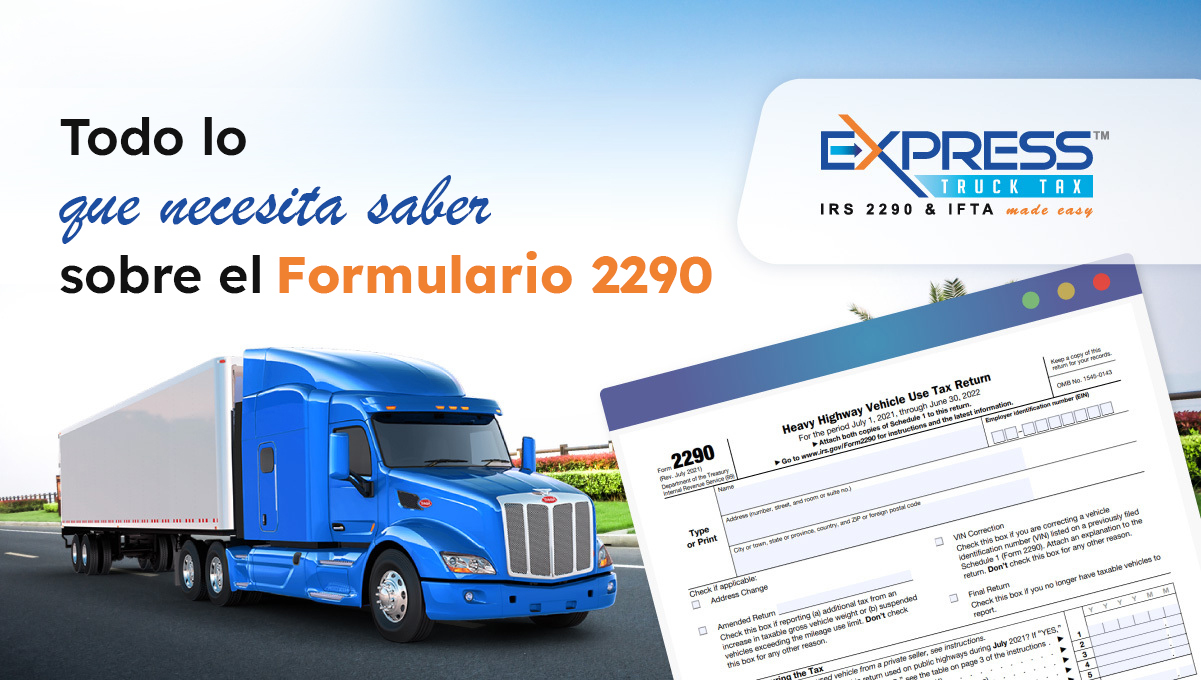
Todo lo que necesita saber sobre el Formulario 2290

¿Eres nuevo en la industria del transporte por carretera? ¿Has estado conduciendo un camión por un tiempo? No importa cuánto tiempo haya estado conduciendo un camión, algo que todo camionero debe conocer es el Formulario 2290. Para comprender mejor el formulario, necesita saber para qué sirve y qué información requiere.

¿Qué es el Formulario 2290?

Si conduce un vehículo que tiene un peso bruto imponible de 55,000 libras o más y conduce más de 5,000 millas al año, 7,500 millas si el vehículo se usa para fines agrícolas, debe presentar el Formulario 2290 y el Impuesto sobre el uso de vehículos pesados ​​(HVUT). ser pagado. Si un vehículo viaja menos de 5,000 millas en un año o 7,500 millas para vehículos agrícolas, se considera suspendido. En este caso, aún debe presentar el Formulario 2290, pero estará exento de pagar el HVUT.

¿Qué información se necesita para presentar el Formulario 2290?

El formulario 2290 requiere que se completen varios datos. La información ingresada ayuda a determinar cuánto impuesto se debe por el HVUT.

Nombre y dirección de su compañía

Cuando completa el Formulario 2290, le pide el nombre de la empresa de la que es propietario o para la que trabaja, así como la dirección de esa empresa. El formulario también le preguntará para qué tipo de empresa trabaja. Si no está seguro del tipo de negocio, puede seleccionar la opción “otros o no estoy seguro”.

EIN (Número de identificación del empleador)

Se requiere su número de identificación de empleador (EIN) para completar el Formulario 2290. El EIN es un número único de nueve dígitos que el IRS emite a todos los propietarios de negocios. Si acaba de obtener un EIN, podría tomar hasta 15 días hábiles para que se active y sea reconocido por el IRS.

VIN (Número de identificación del vehículo)

Un número de identificación del vehículo (VIN) es un código de 17 dígitos único para cada vehículo. Debido a que no hay dos vehículos que tengan el mismo número VIN, es más fácil identificar el vehículo. Este número se puede encontrar en el registro del vehículo, su título o en el propio vehículo.

Peso bruto imponible

El peso bruto imponible de un vehículo se determina sumando el peso total del camión, el remolque y la carga máxima que el camión puede transportar. Esto se usa para determinar el monto del impuesto que debe pagarse por el HVUT. Cuanto mayor sea el peso bruto imponible de un vehículo, mayor será el impuesto adeudado. Si el peso bruto imponible de un vehículo es inferior a 55,000 libras, entonces no es necesario presentar el Formulario 2290 para este vehículo.

Primer Mes de Uso

El primer mes de uso de un vehículo (FUM) es el mes en que puso el vehículo en la carretera por primera vez. El último día del mes siguiente es cuando vence el Formulario 2290 para el año fiscal en curso. Si puso un camión en la carretera por primera vez en Octubre de 2022, la fecha límite para presentar el Formulario 2290 2025-2026 es el 30 de Noviembre de 2022. En este caso, la tasa se prorratea ya que solo está presentando una parte del año fiscal.

El año fiscal actual comienza el 1ro. de Julio de 2022 y finaliza el 30 de Junio de 2023. Si ha tenido su camión en la carretera durante más de un año, colocará su primer mes de uso en Julio y pagará el impuesto completo para el próximo año fiscal.

¿Cuál es la forma más fácil de hacer el Formulario 2290?

El IRS recomienda que presente electrónicamente el Formulario 2290 en lugar de presentarlo en papel. Si presenta su Formulario 2290 en papel, el proceso del IRS demorará mucho más. Al presentar electrónicamente su Formulario 2290, recibirá su Anexo 1 estampado en minutos. Se necesita el Anexo 1 estampado para obtener las placas y la registración de su vehículo.

¿Cómo hago mi pago al IRS?

El IRS acepta múltiples opciones de pago para pagarle HVUT. Independientemente del método de pago que elija, el pago debe realizarse antes del 31 de Agosto para evitar penalidades por retraso de pagos.

Retiro Electrónico de Fondos (EFW)

Una de las opciones que tienes para pagar tu HVUT es a través de Retiro Electrónico de Fondos (EFW). Si elige este método de pago, el pago de impuestos se retirará de su cuenta tan pronto como se acepte su Formulario 2290.

Cheque o Giro Postal

Con cheque o giro postal es otra forma de pago aceptable para el HVUT, pero debe asegurarse de que el pago se realice antes de la fecha límite (31 de Agosto).

Sistema de Pago Electrónico de Impuestos Federales (EFTPS)

Otra opción que está disponible para pagar su HVUT es a través del Sistema Electrónico de Pago de Impuestos Federales (EFTPS). Para utilizar este método de pago, debe tener o crear una cuenta e iniciar esta transferencia de pago en www.EFTPS.gov

Tarjeta de Crédito o Débito

El IRS también le permite pagar su HVUT mediante pagos con tarjeta de crédito o débito. Después de presentar su Formulario 2290, ir a IRS.gov/PayByCard para pagar su HVUT con una tarjeta de crédito/débito. Se cobrará una tarifa de conveniencia por este servicio.

¡Haga su 2290 ya!

¡Se acerca rápidamente el momento de hacer su Formulario 2290 para el año 2025-2026! Una vez que tenga toda la información necesaria para presentar el Formulario 2290, hágalo electrónicamente con ExpressTruckTax para ahorrar tiempo y dinero. ¿Qué está esperando? ¡Presente ahora y obtenga su Anexo 1 estampado en minutos!

Did You Receive an IRS Letter About Non-Payment?

Historically, the IRS tends to send non-payment letters before the Form 2290 payment deadline of August 31st.  However, this year, the IRS deployed a program change that delayed the posting of Form 2290 to help eliminate non-payment letters

This letter says that you failed to make your HVUT payment and gives instructions on how to submit payment. 

How Can You Check To Make Sure The Payment Was Made and What Should You Do If You Have Proof Of Payment?

ExpressTruckTax encourages you to check the account you chose to make the IRS tax payment with (EFW, EFTPS, Credit/Debit, or Check/Money Order) to make sure the HVUT payment was successfully debited. If you do not remember what method of IRS tax payment you chose, you can log into your ExpressTruckTax.com account and see the method you chose on your Dashboard. 

You can also click the return number to see more information about your IRS payment method selection:

If you check your account and the US Treasury debited the tax payment, you should receive another letter from the IRS within the next few weeks that shows a zero balance. 

If you continue to receive IRS non-payment notices, it’s best to contact the IRS directly using the phone number located on the top right corner of the first page of the notice (800.829.0115). When you speak with the IRS agent, you want to ask them if the payment you made has been applied to the correct tax year and tax form (Form 2290). 

I Checked My Account And The IRS Tax Payment Was Not Debited. What Do I Need To Do Now? 

If you checked the account you chose to make the IRS tax payment (EFW, EFTPS, Credit/Debit, or Check/Money Order) and the tax payment has not been debited, you simply need to follow the instructions on the IRS notice and submit payment as soon as possible. 

If you have further questions regarding IRS Form 2290 tax payments, please contact the IRS directly at 800.829.0115.